
In a forensic investigation, it is essential to have a timeline of events that occurred on a computer. It’s particularly useful to be able to hone in on the activity of a specific user. I created a program called “TrailBytes” that can help with this process. TrailBytes will scan a computer or a mounted disk image for relevant artifacts that pertain to a specified user’s activity. The program collects this data from the user’s “Recent” folder, $Recycle.Bin folder, and NTUSER.DAT file. After it gathers all the information, it puts it into an ordered timeline and outputs it into a text file.
How It Works
When you start up the program you’ll see this layout.
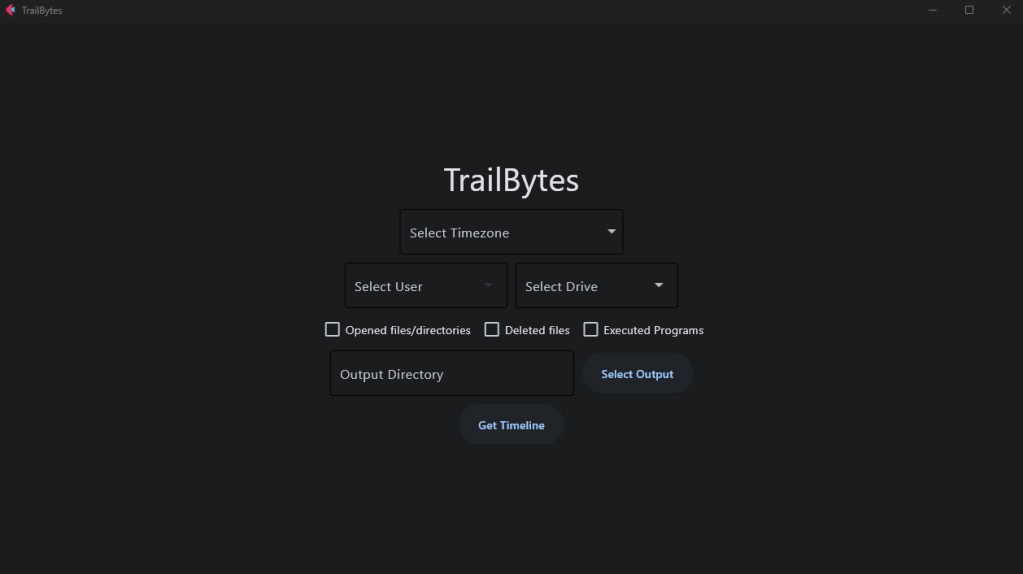
This is what the options are for:
Select Timezone: Dropdown menu to select a time zone to convert the dates and times to in the output file
Select Drive: Dropdown menu to select either your C drive or a mounted disk image to analyze
Select User: Dropdown menu of all users found on that drive that you can analyze
Checkboxes: Use the checkboxes to select which types of activity you want included in the output file
Output Directory: Directory to export the output file to
To show an example, I ran this program using one of the Narcos disk images from Digital Corpora. Before you run TrailBytes, you first need to mount the disk image using something like FTK Imager.
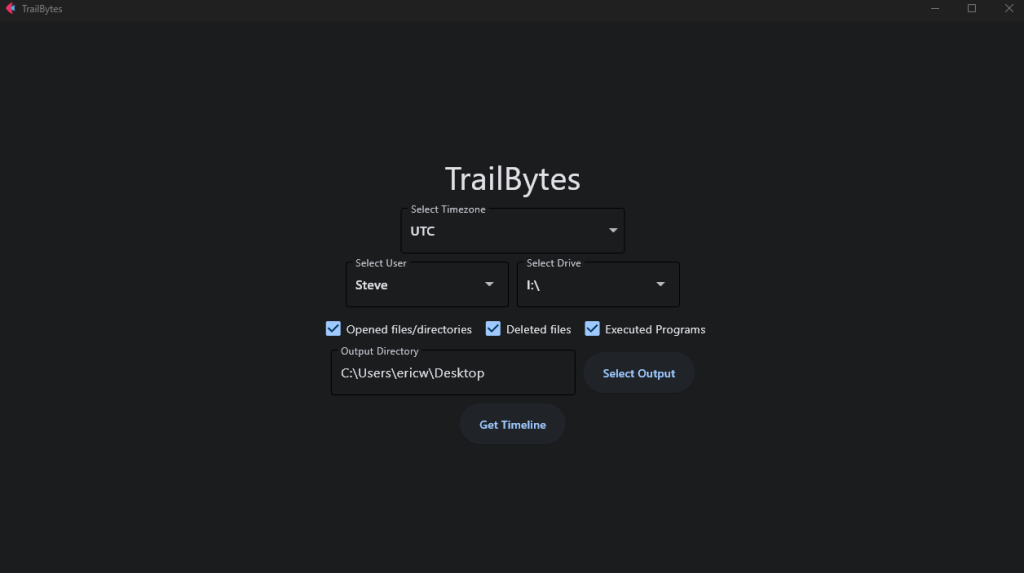
I’ve set the time zone setting to UTC, selected drive I (the drive where I’ve mounted the disk image), selected the user Steve, and then checked all the activity options. I’m exporting the output file to my desktop. After everything is set, simply click “Get Timeline”. Below is a picture of the format that the output file is exported in. The activity on this disk image is pretty limited, but on an actual disk image you’d see a lot more content than this.
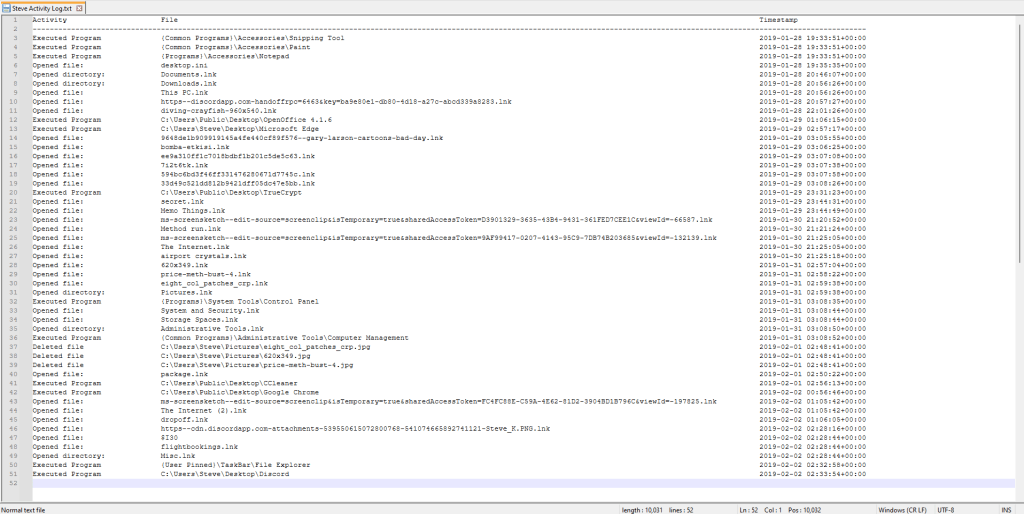
This makes it easy to get a glimpse into the type of activity, the file or program involved, and the date and time that they did the activity on.
Source Code and Download on SourceForge: https://sourceforge.net/projects/trailbytes/
CLI Version on GitHub: https://github.com/ericw317/TrailBytes

 Wise Forensics
Leave a comment