
Cache Files
Many applications on a computer will have a cache directory which they use to store temporary data to improve performance. This way, an application can quickly retrieved frequently accessed data without needing to process or re-build it again. This is forensically significant because you can find trace amounts of data here that otherwise would not be easily accessible. Many programs, however, don’t store cache files in plain format. These files are often stored without any extensions which makes them a little harder to view efficiently. Most of the time, you can still view these files by looking at the data, finding the file signature, and then changing the extension. But if you have to do this with a large number of files it can take a while. To speed up this process, I created a program called CacheGrab.
How It Works
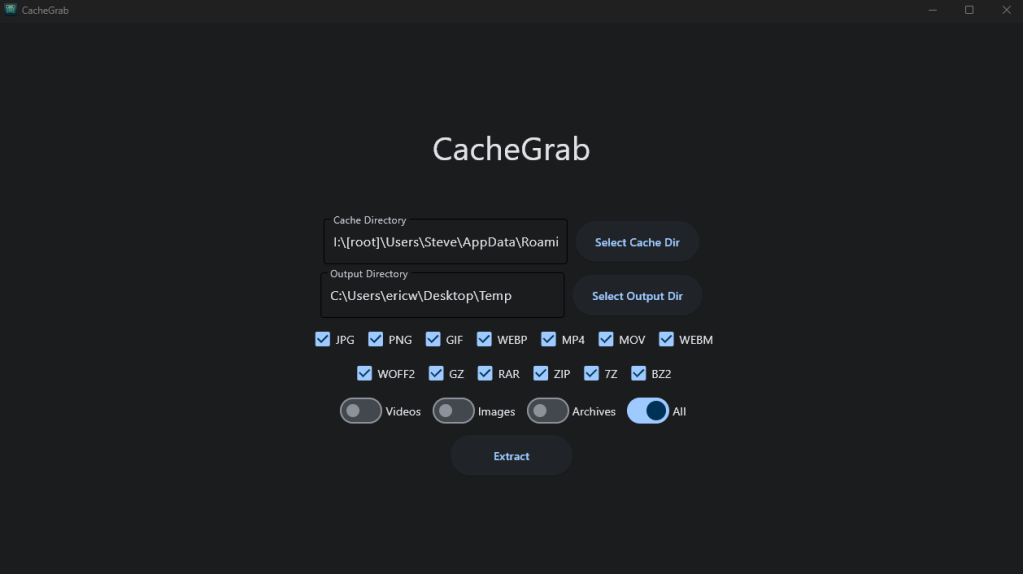
When you start up CacheGrab, you will be greeted with this screen.

All you need to do is select the directory containing the cache files and select a directory to output the parsed files to. After that you can select from the file formats available here. You can choose individually, or use the sliders to select specific types of files in chunks. From here, the program will comb through the cache files to search for the file types you selected and then output them to the output directory specified.
To demonstrate this, I mounted a disk image from Digital Corpora that had some cache files for us to parse. The user on this particular disk image had been using Discord, an online chatting service, a lot. Discord stores its cache in the following directory:
Users\<user>\AppData\Roaming\Discord\Cache
As you can see from the picture below, the cache files are currently unreadable just by clicking on them.

So I ran CacheGrab on it to see what we could find.
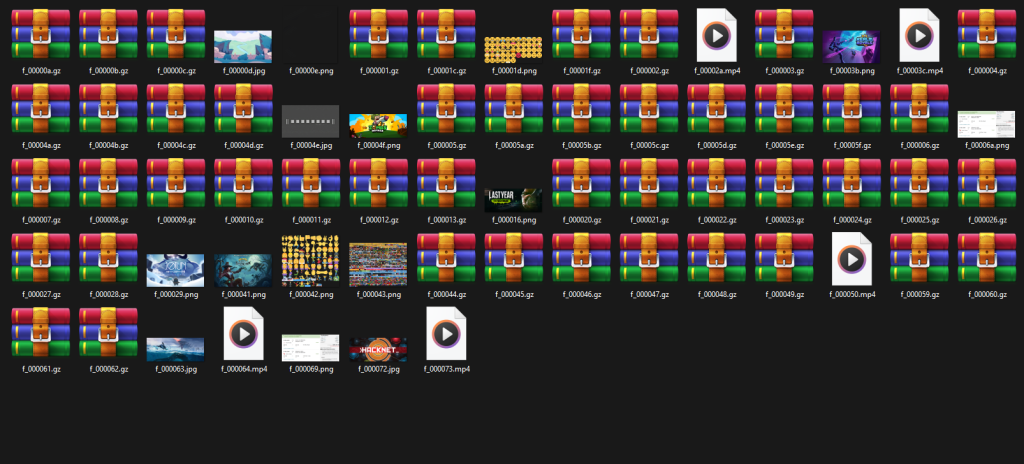
The program was able to extract some gzip, mp4, jpg, and png files. These are all files that would, in one way or another, be related to this user’s Discord activity. One particular file stands out here that may be relevant to the scenario this disk image was used in: a png file that shows a screenshot of a flight from Brisbane to Wellington.

As you can see, this program is essential when it comes to quick, efficient analysis of cache files. The source code to the program is available on my GitHub page and the executable download is available on SourceForge.
GitHub: https://github.com/ericw317/CacheGrab
SourceForge: https://sourceforge.net/projects/cachegrab/


 Wise Forensics
Leave a comment