
In the world of forensics, you often see discussions surrounding Windows forensics. This makes since, as of 2024, Microsoft Windows has 72% of the market share. However, there are still plenty of people that use MacOS. So I decided to create a tool that makes analyzing MacOS artifacts simple. This is Mac Artifact Viewer.
How It Works
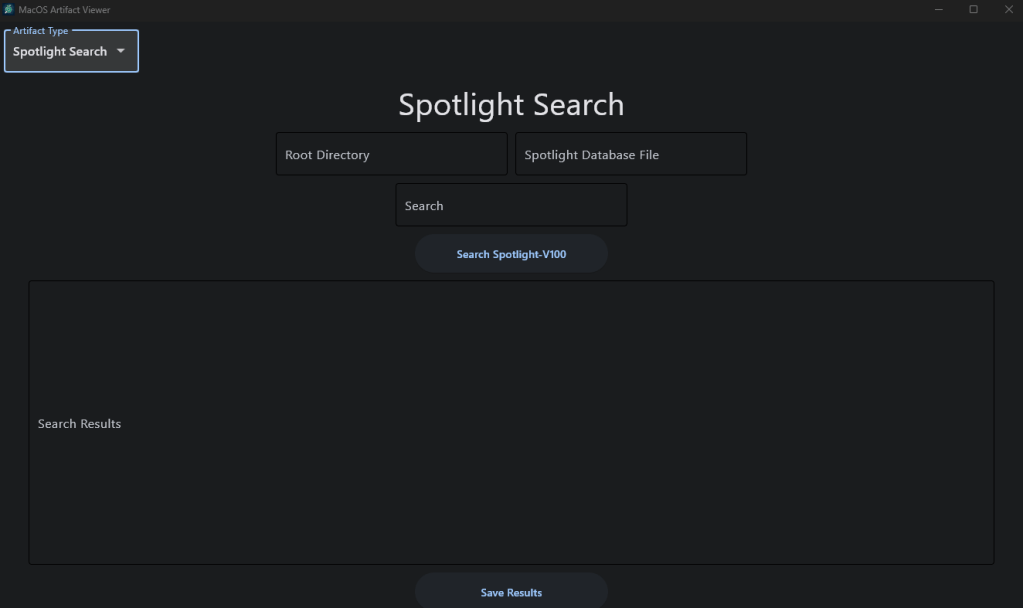
When you run Mac Artifact Viewer, you will be able to navigate between five separate pages. The first four cover artifact categories, which include system artifacts, user artifacts, internet artifacts, and the spotlight-v100 search tool. The fifth page is the “settings” page, which is where you can configure the time zone to display timestamps in, as well as set a directory to output your results in.
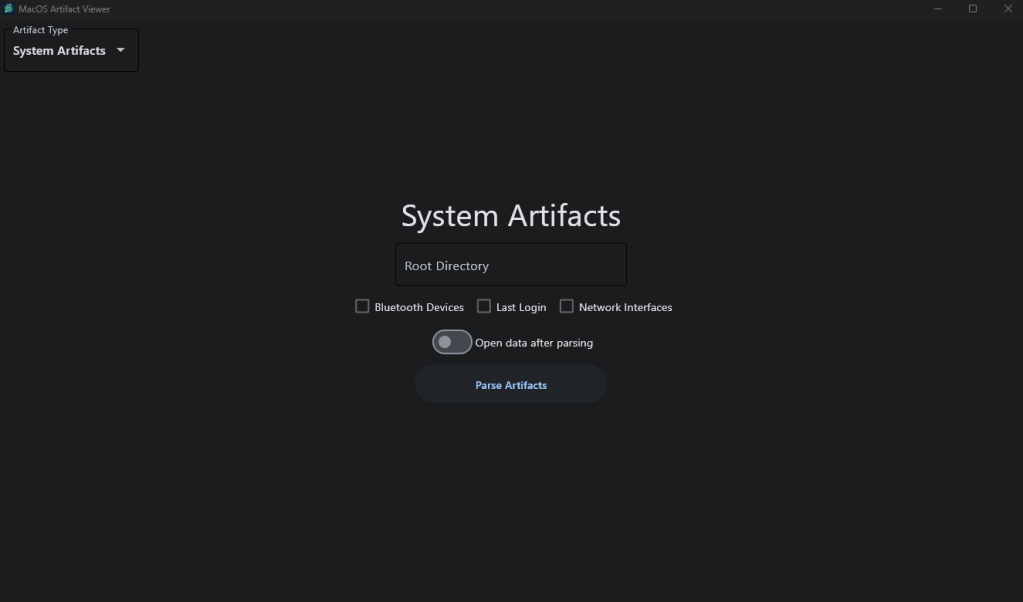
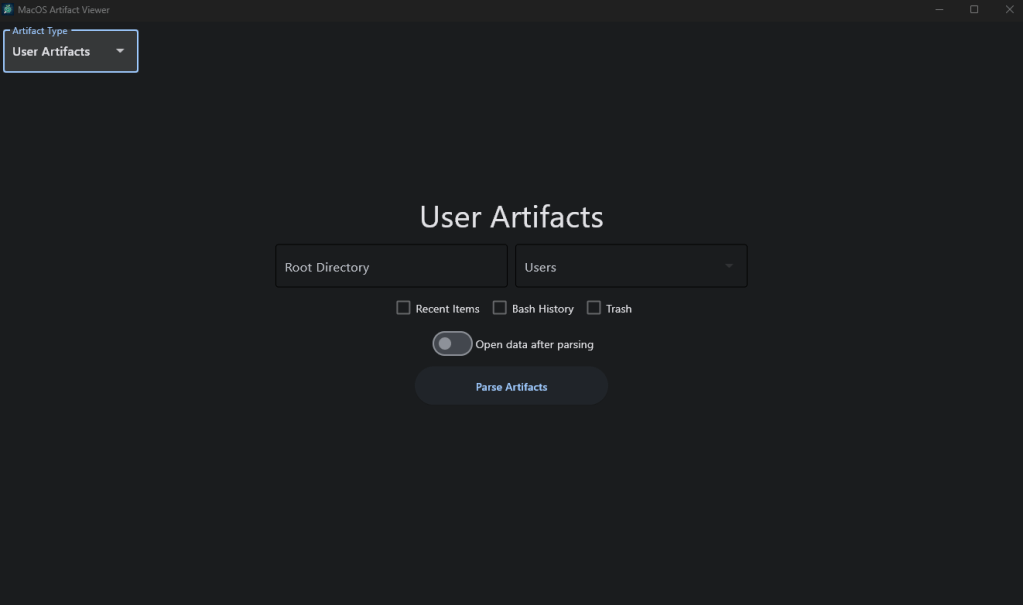
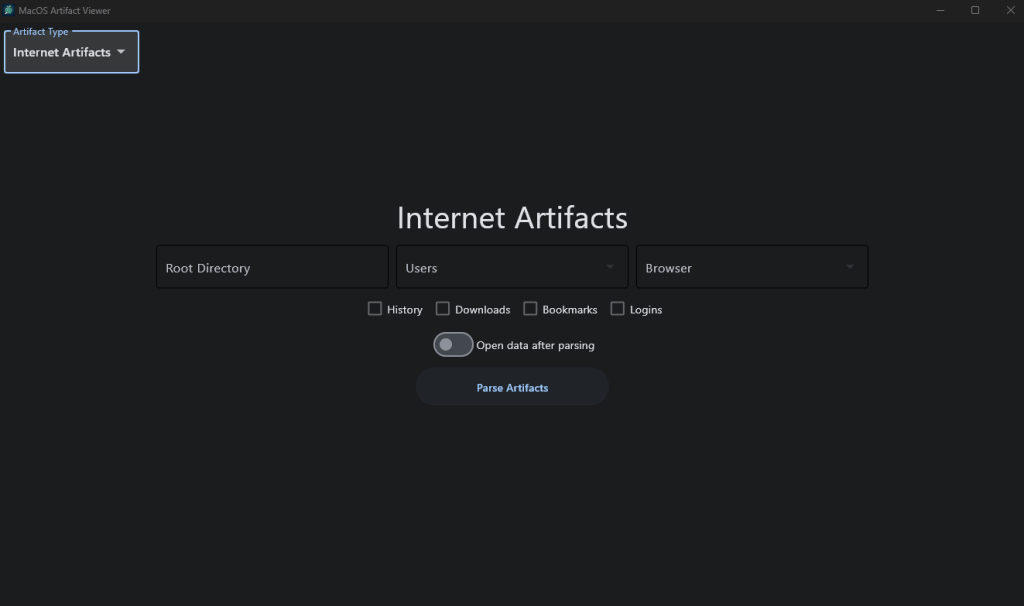
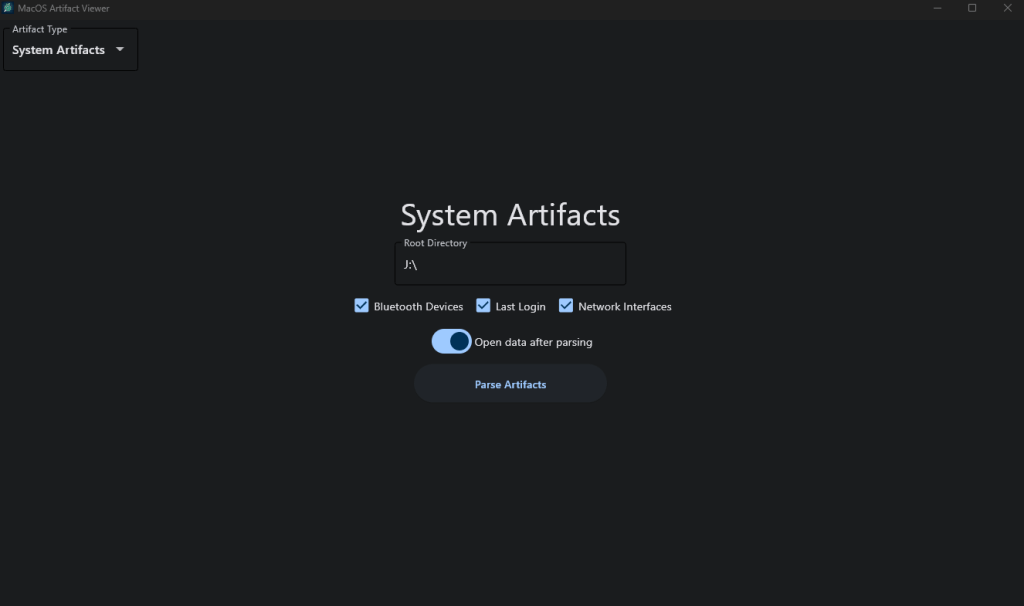
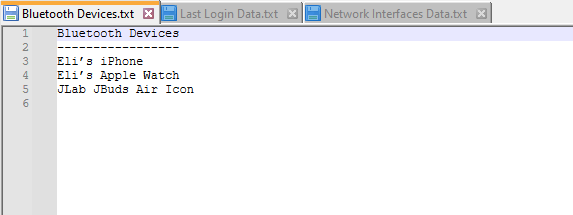
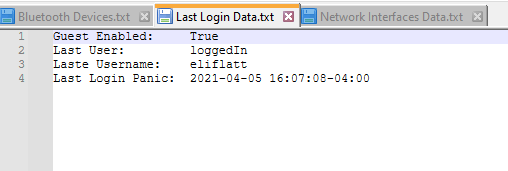
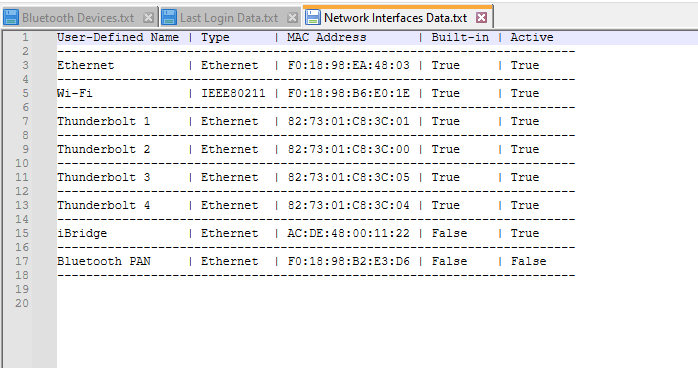
For each page you’ll need to first specify the root directory of the MacOS disk image you are analyzing. As of now, this program can not analyze live systems. So, you will need to mount a MacOS disk image before starting the analysis. After you’ve selected the root directory, the rest is pretty straight-forward. Just select the artifacts you want to parse and the program does the rest of the work for you. You can use the slider to open the results instantly, otherwise the results will be saved to the output directory you specified on the “settings” page. Below is a quick example of me running this on some system artifacts on a MacOS disk image I acquired from Digital Corpora.
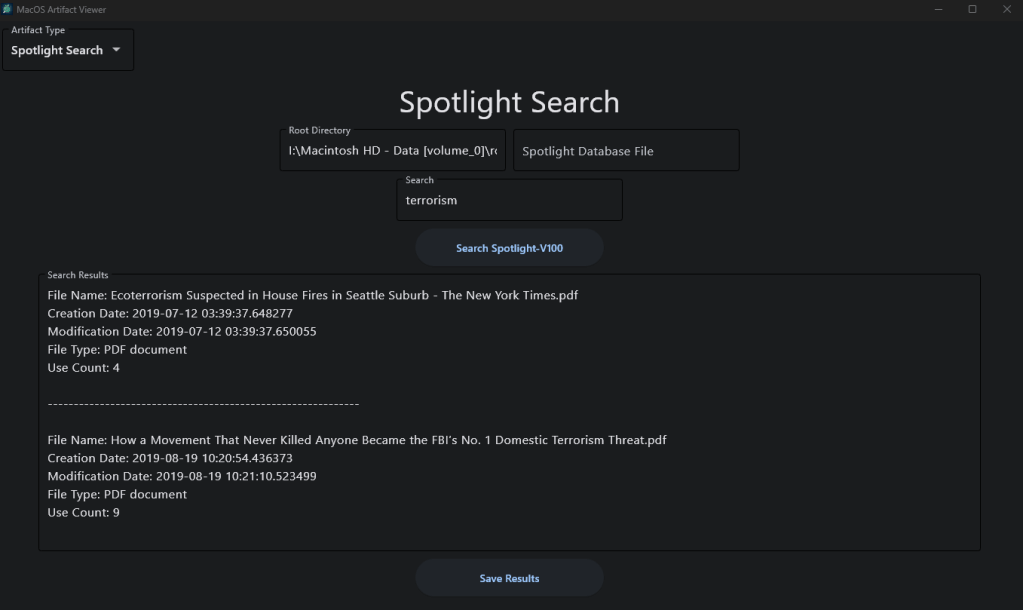
The feature I’m most proud of is the Spotlight-V100 searching tool. The Spotlight-V100 file is an file found on MacOS that is used to index files created by MacOS’s file search feature, Spotlight. This file contains an index of nearly every file on the computer along with crucial metadata. Using this tool, all you need to do is specify that disk image that the Spotlight-V100 file is located on. Alternatively, you can input the Spotlight-V100 file directly if you’ve already extracted it. Then, you can use the search box to enter a search term. Once you click the search button you will get a list of every file that included this search term along with the metadata of those files.
This tool is still in its early stages, so stay posted for more features I will be adding soon. The source code and executable download are available on my GitHub page, linked below.
Current Features:
- System Artifacts
- Bluetooth devices
- Last login
- Network Interfaces
- User Artifacts
- Recent Items
- Bash and zsh history
- Trash
- Internet Artifacts
- History
- Downloads
- Bookmarks
- Login Data
- Spotlight-V100 Search Tool
Source Code: https://github.com/ericw317/MacArtifactViewer
Download: https://github.com/ericw317/MacArtifactViewer/releases/tag/v1.2.0


 Wise Forensics
Leave a comment