
Scenario:
In this Sherlock, you will familiarize yourself with Sysmon logs and various useful EventIDs for identifying and analyzing malicious activities on a Windows system. Palo Alto’s Unit42 recently conducted research on an UltraVNC campaign, wherein attackers utilized a backdoored version of UltraVNC to maintain access to systems. This lab is inspired by that campaign and guides participants through the initial access stage of the campaign.
This scenario just provides us with a Windows Sysmon Event Log file for us to analyze. When examining event logs, the first thing I like to do is use Eric Zimmerman’s tool, EvtxeCmd, to convert the event log file to a CSV file. After the conversion, it helps to drop the CSV file into Zimmerman’s Timeline Explorer tool for easier analysis.
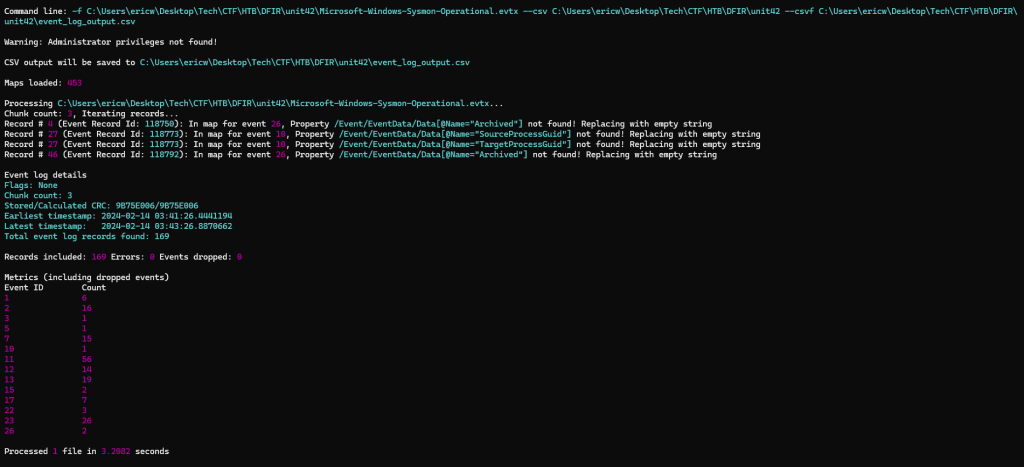
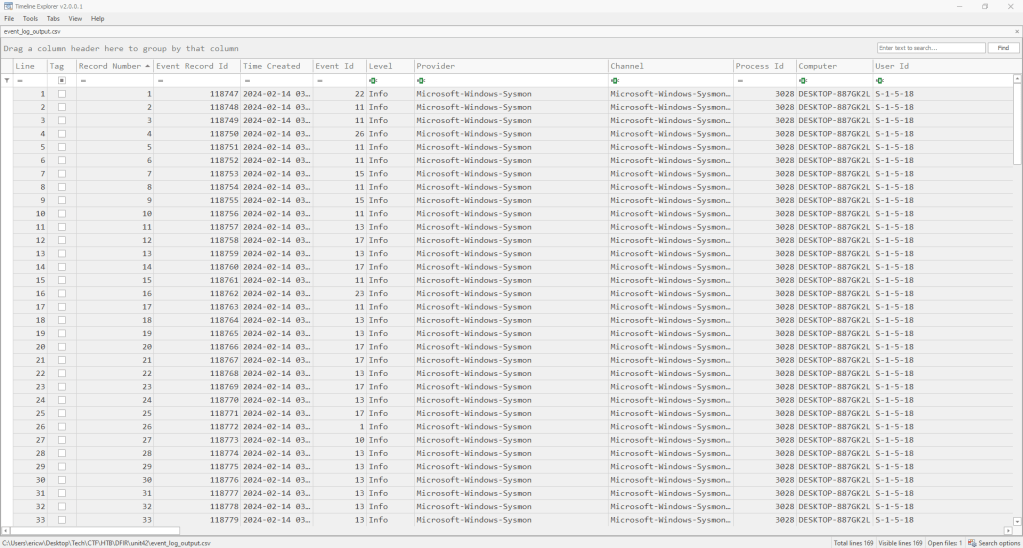
Task 1: How many Event logs are there with Event ID 11?
To figure this out we can just filter the logs to show only logs with Event ID 11 and then select them all.
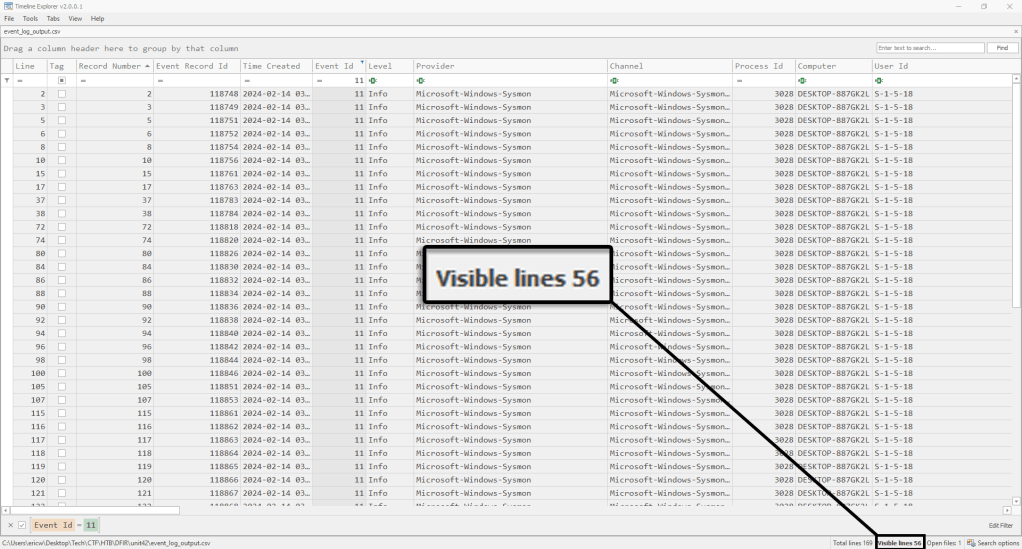
Answer: 56
Task 2: Whenever a process is created in memory, an event with Event ID 1 is recorded with details such as command line, hashes, process path, parent process path, etc. This information is very useful for an analyst because it allows us to see all programs executed on a system, which means we can spot any malicious processes being executed. What is the malicious process that infected the victim’s system?
If we filter the logs to show events with Event ID 1, we quickly see a file that stands out. The Preventivo file in CyberJunkie’s download directory immediately looks suspicious with its double .exe extension.
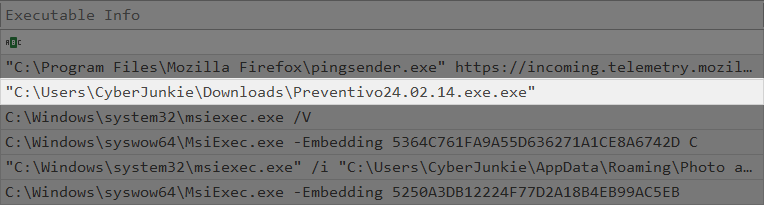
Answer: C:\Users\CyberJunkie\Downloads\Preventivo24.02.14.exe.exe
Task 3: Which Cloud drive was used to distribute the malware?
The earliest occurrence of Preventivo in these logs is at 03:41:56. The closest DNS query (signified by Event ID 22) occurs 11 seconds earlier.
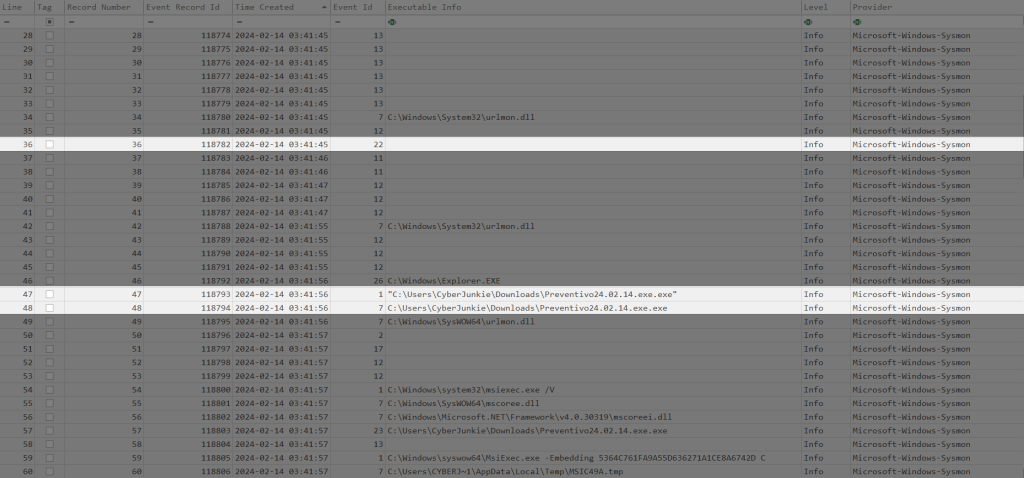
If we scroll to the right to see the content of this DNS query, we will get our answer.

Answer: Dropbox
Task 4: For many of the files it wrote to disk, the initial malicious file used a defense evasion technique called Time Stomping, where the file creation date is changed to make it appear older and blend in with other files. What was the timestamp changed to for the PDF file?
If we filter by Event ID 2, we can see all the logs from when a process changed a file creation time. Examining further, we can see the creation date change that was applied to the PDF file.
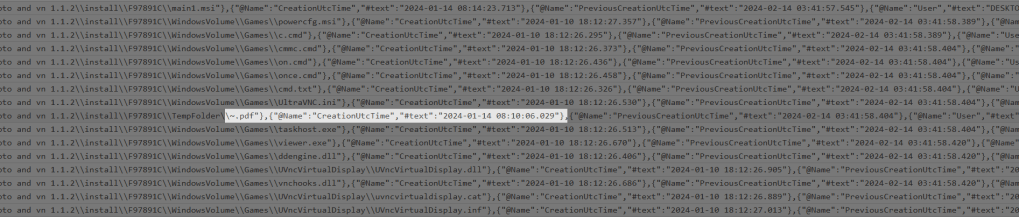
Answer: 2024-01-14 08:10:06
Task 5: The malicious file dropped a few files on disk. Where was “once.cmd” created on disk? Please answer with the full path along with the filename.
Filtering by Event ID 11 will show us file creation events. From here we can see where on the disk “once.cmd” was created.

Answer: C:\Users\CyberJunkie\AppData\Roaming\Photo and Fax Vn\Photo and vn 1.1.2\install\F97891C\WindowsVolume\Games\once.cmd
Task 6: The malicious file attempted to reach a dummy domain, most likely to check the internet connection status. What domain name did it try to connect to?
For this, we can filter by Event ID 22 to see a list of DNS queries that were made. This shows a DNS query made by the malicious file, Preventivo, to example.com.

Answer: http://www.example.com
Task 7: Which IP address did the malicious process try to reach out to?
Building off the last answer, we can also see the IP address of the site that the malicious process made the DNS query to.

Answer: 93.184.216.34
Task 8: The malicious process terminated itself after infecting the PC with a backdoored variant of UltraVNC. When did the process terminate itself?
Filtering by Event ID 5 will show logs for “Process Terminated” events, which will show us the timestamp we are looking for.

Answer: 2024-02-14 03:41:58

 Wise Forensics
Leave a reply to Week 07 – 2025 – This Week In 4n6 Cancel reply